
THE FINISHING HUB

CUT & CREASE SOLUTIONS

High-quality finishing process that adds strength, durability and a professional finish to your products
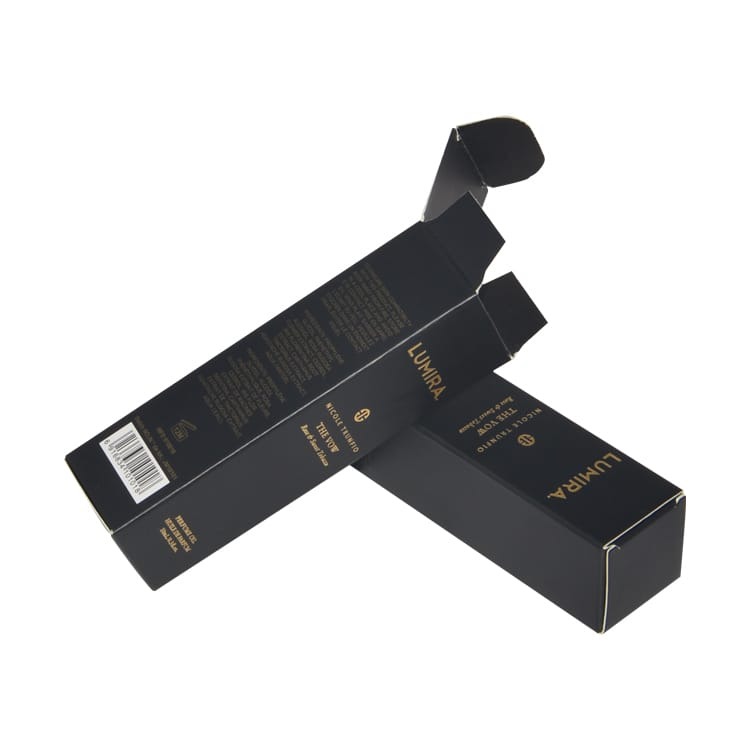
DIE CUTTING

Die cutting is a process where a specialized sharp steel cutting tool (called a die) is used to cut printed sheets into specific shapes, designs, or patterns. It allows printed materials to be precisely trimmed beyond standard straight edges.

An example would be a product box for cosmetics may be die cut with a window shape, allowing customers to see the product inside while maintaining a structured packaging form.
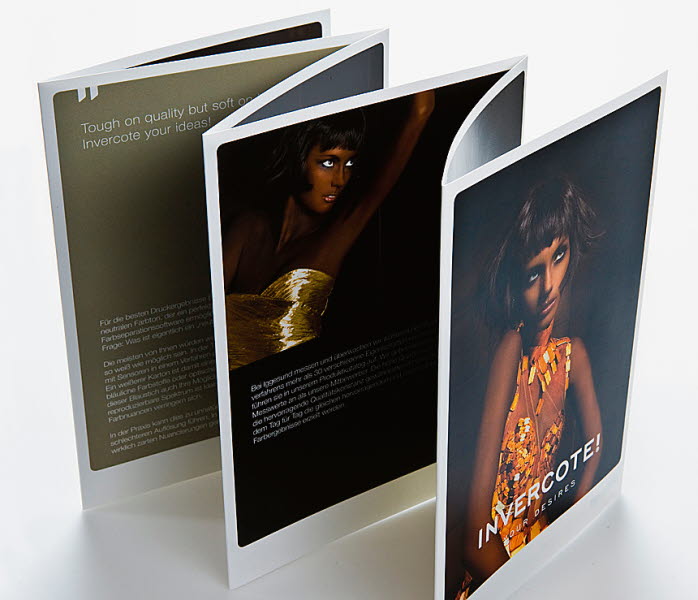
CREASING

Creasing is a process where a sharp, controlled indentation (a crease line) is created on printed paper or board to allow it to be cleanly folded without cracking, splitting, or damaging the printed surface.

An example would be a luxury packaging box is first creased along fold lines, ensuring it can be assembled neatly without the printed surface cracking or tearing when folded.
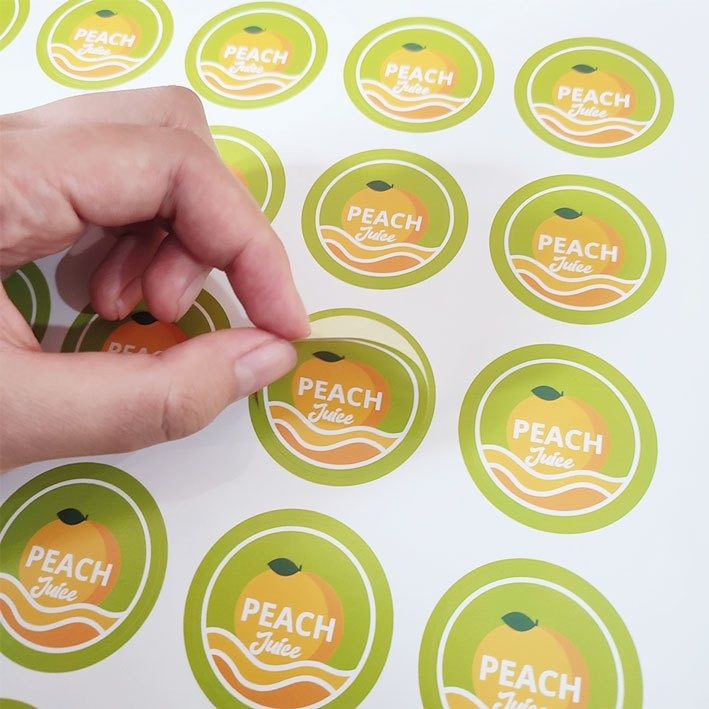
KISS CUTTING

Kiss cutting is a cutting process where a blade cuts through the top layer of a material (such as a label or sticker) without cutting through the backing or release liner. This allows the finished pieces to be easily peeled off while still being held together on a sheet or roll.

An example would be a sheet of branded stickers is kiss cut so each sticker can be peeled off individually, while the backing sheet remains intact for easy handling and storage.
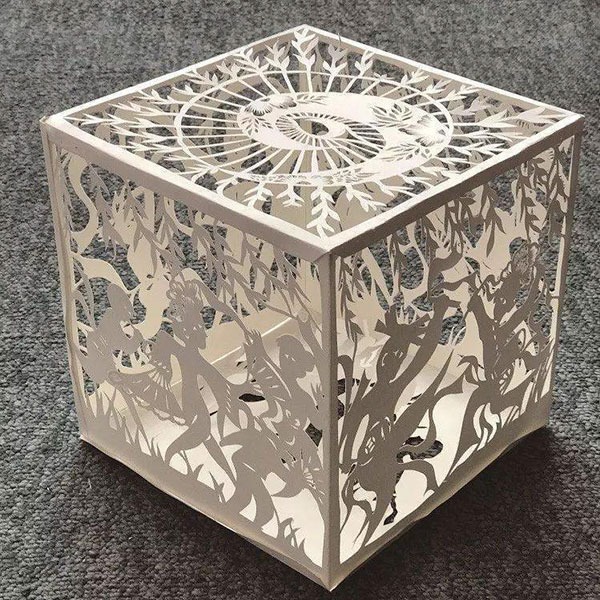
LASER CUTTING

Laser cutting is a precision finishing process that uses a focused, high-energy laser beam to cut, engrave, or perforate printed materials into intricate shapes and designs without physical contact between the cutting tool and the substrate.

An example would be a product box for cosmetics may be laser cut with a window shape, allowing customers to see the product inside while maintaining a structured packaging form.
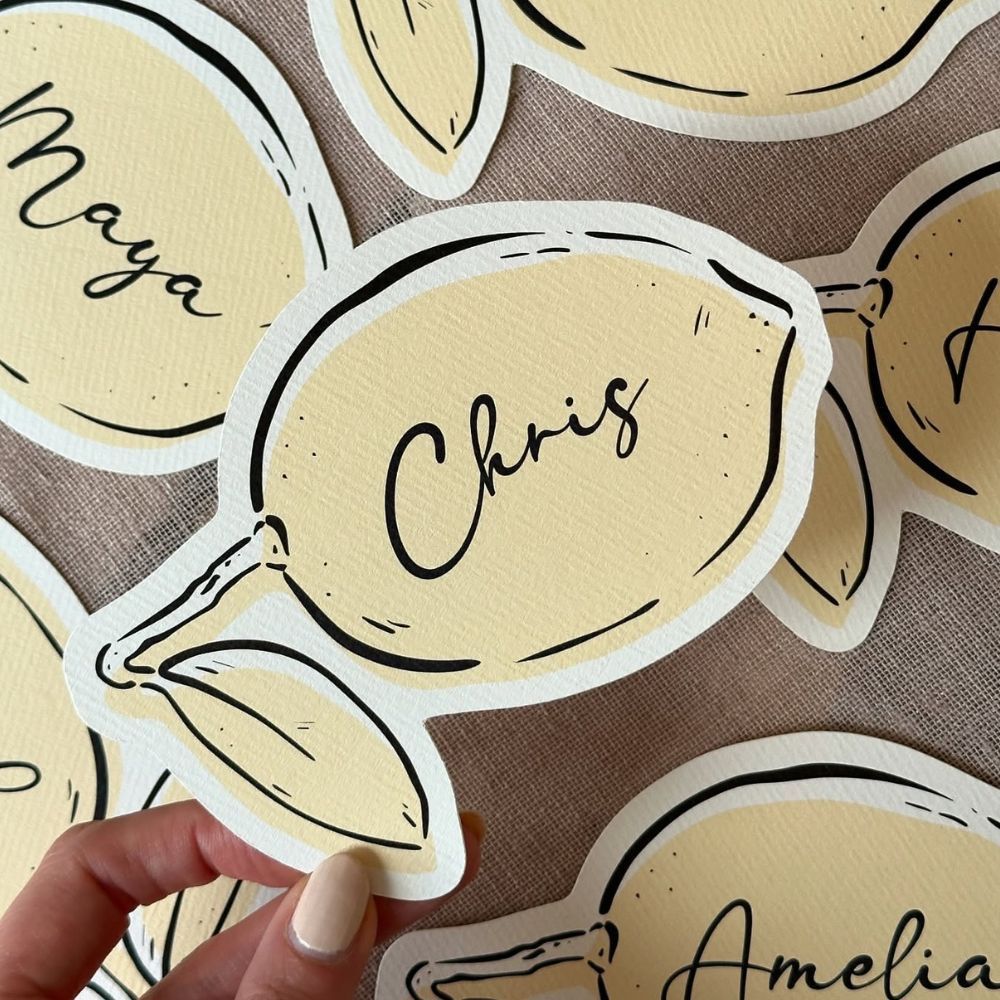
DIGITAL DIE CUTTING

Digital die cutting is a computer-controlled cutting process that uses blades, knives, or other cutting tools guided by digital design files to cut, crease, perforate, or score printed materials into custom shapes without requiring a traditional metal die.

An example would be a sheet of branded stickers is digital die cut so each sticker can be peeled off individually, while the backing sheet remains intact for easy handling and storage.

Select the fields to be shown. Others will be hidden. Drag and drop to rearrange the order.
  • Image
  • SKU
  • Rating
  • Price
  • Stock
  • Availability
  • Add to cart
  • Description
  • Content
  • Weight
  • Dimensions
  • Additional information
Click outside to hide the comparison bar
Compare

DIE CUTTING INFORMATION

  1. A metal die is created in the desired shape (similar to a cookie cutter).
  2. The printed sheet is placed in a die-cutting press.
  3. The die is pressed onto the material using pressure.
  4. The sheet is cut into the required shape or has specific parts removed.
  • Create custom shapes beyond rectangles and squares.
  • Produce packaging components and structural designs.
  • Add decorative cut-outs or windows.
  • Improve visual impact and branding.
  • Enable folding and assembly structures in packaging.
  • Packaging boxes (folding cartons, luxury boxes)
  • Business cards with custom shapes
  • Labels and stickers
  • Hang tags
  • Envelopes and folders
  • Greeting cards with cut-out designs
  • Promotional materials and displays
  • Enables unique and creative shapes.
  • Provides precision and consistency in cutting.
  • Essential for packaging production.
  • Enhances product presentation and shelf appeal.
  • Can include intricate designs and perforations.

CREASING INFORMATION

  1. A creasing rule (a blunt metal rule) presses into the sheet against a counter channel or board.
  2. This compresses the paper fibers along a straight line.
  3. The material is then folded easily and accurately along the crease.
  • Enable clean folding of thick or coated materials.
  • Prevent cracking of ink or toner on folds.
  • Improve accuracy and alignment of folds.
  • Support packaging and structural print designs.
  • Folding cartons and packaging boxes
  • Brochures and leaflets
  • Greeting cards
  • Book covers and dust jackets
  • Presentation folders
  • Invitations and invitations with multiple folds
  • Produces sharp, professional folds.
  • Protects printed surfaces from damage.
  • Essential for thick paper, cardboard, and laminated stocks.
  • Improves efficiency in folding and assembly.
  • Enhances overall product quality.

KISS CUTTING INFORMATION

  1. A printed adhesive material (usually paper or vinyl with a backing liner) is placed into a cutting machine.
  2. A die or blade cuts only through the top layer.
  3. The backing layer remains intact.
  4. Individual labels or shapes stay in place until they are peeled off.
  • Produce self-adhesive labels and stickers.
  • Allow easy peeling and application.
  • Keep multiple labels organized on sheets or rolls.
  • Enable efficient mass production of label sets.
  • Product labels and packaging stickers
  • Promotional stickers and decals
  • Barcode and shipping labels
  • Cosmetic and food packaging labels
  • Branding stickers and logo labels
  • Label sheets for office or retail use
  • Easy peel-and-apply functionality.
  • Keeps labels organized on sheets or rolls.
  • Efficient for bulk production.
  • Reduces waste and handling time.
  • Compatible with complex label shapes.

LASER CUTTING INFORMATION

A digital design file is created, usually in vector format.
The laser beam is directed by computer-controlled optics along the specified cutting path.
The intense heat of the laser vaporizes, melts, or burns away material to produce clean, highly accurate cuts.
The finished pieces are removed from the sheet, often requiring little or no additional trimming.

  • Decorative invitations
  • Greeting cards
  • Packaging prototypes and custom boxes
  • Business cards with intricate cut-out patterns
  • Labels and stickers with complex shapes
  • Book covers and inserts
  • Point-of-sale displays and promotional materials
  • Paper sculptures and artistic print pieces
Advantages
High precision:
Can produce very fine details and complex geometries. Customization:
Ideal for short runs and personalized products.
No cutting dies required: Eliminates the cost and lead time associated with manufacturing traditional dies.
Clean edges: Produces smooth, accurate cuts with minimal mechanical distortion. Versatility: Suitable for paper, cardstock, wood veneer, acrylic, leather, and some plastics. Limitations Slower for large production runs compared with conventional die-cutting. Potential scorching or discoloration on certain papers or materials. Higher equipment costs than some traditional finishing methods. Material thickness and composition can affect cutting quality.

In summary, laser cutting in print finishing is a digitally controlled method for creating precise cuts, perforations, and decorative effects, particularly valuable for customized, intricate, or short-run printed products.

DIGITAL DIE CUTTING INFORMATION

A design is created in graphic design software and saved as a digital cutting path.
The file is sent to a digital die-cutting machine.
The machine automatically follows the cutting path using a blade or specialized tool to cut, crease, score, or perforate the material.
The finished pieces are removed, ready for folding, assembly, or distribution.

  • Common applications in print finishing
  • Custom packaging and cartons
  • Greeting cards and invitations
  • Labels and stickers
  • Business cards with unique shapes
  • Prototypes and short-run packaging samples
  • Point-of-sale displays
  • Folding cartons and promotional materials

Advantages
No physical dies required: Eliminates the cost and lead time associated with manufacturing metal dies.

Cost-effective for short runs: Ideal for prototypes, personalized products, and limited production quantities.

Quick setup and changeovers: Designs can be modified instantly without replacing tooling.
Multiple finishing functions: Many machines can cut, crease, score, perforate, and kiss-cut in a single pass.

Supports customization: Enables variable designs and on-demand production.
Limitations

Slower for high-volume production: Traditional die-cutting with metal dies is generally more economical for long runs.

Material limitations: Very thick, rigid, or specialized substrates may not be suitable for all digital die-cutting systems.
Equipment investment: Digital cutting systems can have significant upfront costs.

In summary, digital die cutting is a flexible, digitally driven print-finishing technique that produces custom shapes and structural features without the need for conventional dies, making it especially well suited for prototyping, short runs, and personalized print applications.